INTRODUCTION
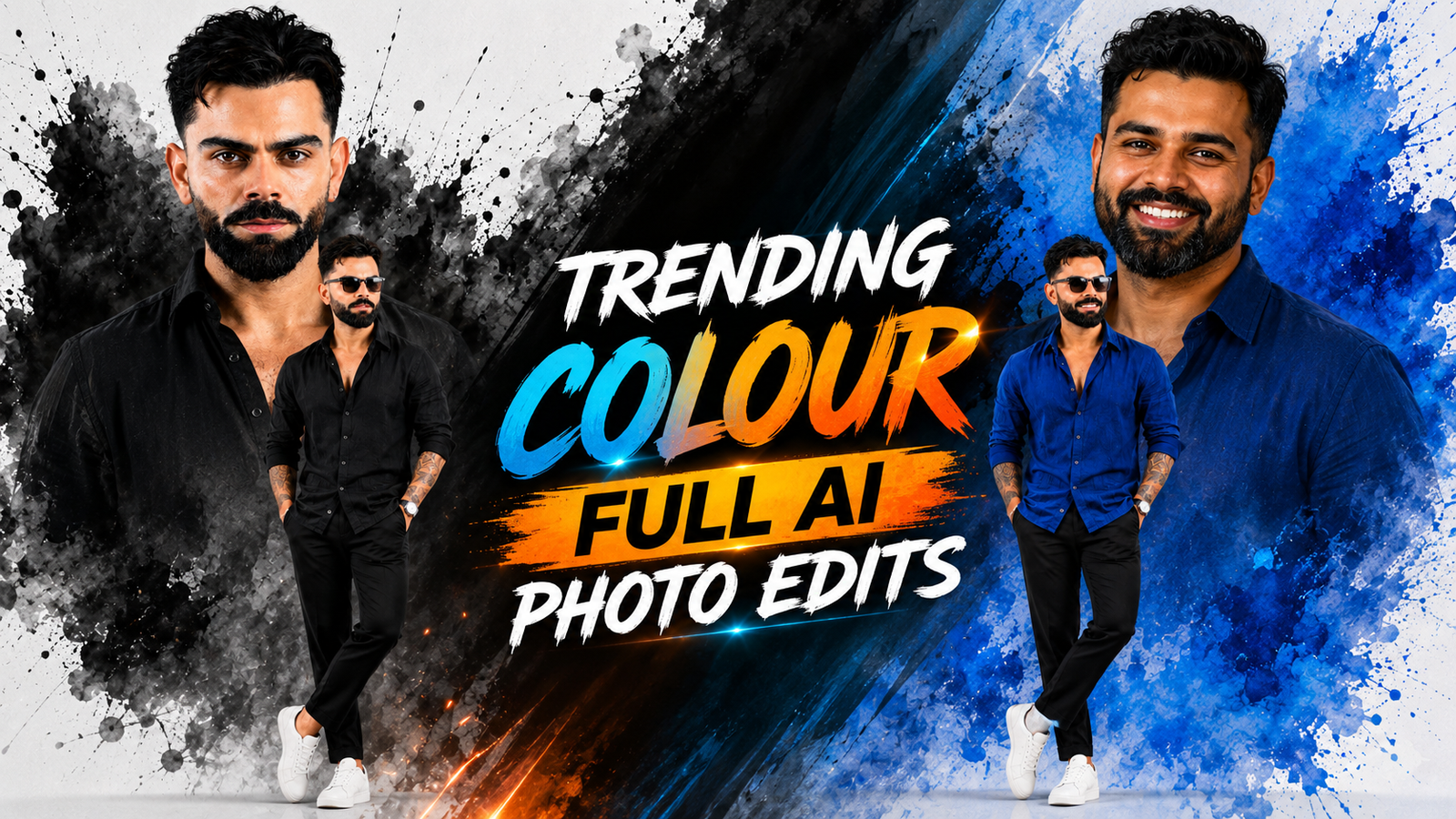
Ink Splatter Photo Editing is a fun and stylish photo editing trend. Many people use this type of edit on Instagram, Facebook, and other social media apps because it looks beautiful and unique. In this style, one big face photo is placed in the background, and one full-body photo is placed in front. A colorful ink splash effect makes the photo look more creative and attractive.
This edit is great for profile pictures, social media posts, YouTube thumbnails, and wallpapers. The white background and bright blue ink colors make the photo look clean and professional. If you use a clear photo with a nice pose, your final edit will look even better.
The good news is that you do not need to be an expert to make this photo. You can create it easily with the help of AI tools or simple photo editing apps. It only takes a few minutes. After that, you can improve the photo by changing the brightness, colors, and sharpness.
In this tutorial, I will show you every step in a very simple way. Just follow the steps one by one, and you will be able to create your own amazing Ink Splatter photo. By the end, you will have a cool photo that you can proudly share with your friends and on social media.
Details Hidden Portrait AI Photo
The Details Hidden Portrait AI Photo is a fun and stylish photo editing effect. It uses two photos to make one beautiful picture. A big close-up photo is placed in the background, and a smaller full-body photo is added in the front. Colorful paint splashes and soft effects make the photo look bright and attractive.
With AI tools, anyone can create this edit in just a few minutes. The AI helps improve the photo by making the colors brighter, the face clearer, and the background cleaner. If you wear clothes that match the colors in the design, the final photo looks even better.
Many people share this type of AI photo on Instagram, Facebook, and YouTube because it looks cool and gets people’s attention. It is a great choice for profile pictures, thumbnails, posters, and social media posts. Even a simple photo can look amazing with this easy AI editing style.
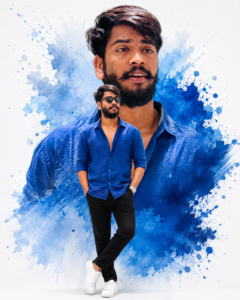
Ultra-realistic 8K cinematic double-exposure portrait of any person, preserving the exact facial identity from the reference image. Create a clean white studio background with bold blue watercolor paint splashes and artistic ink splatter effects behind the subject. Place a large close-up head-and-shoulders portrait in the background with a calm confident expression, natural soft lighting, and direct eye contact. In the foreground, show the same person in a full-body pose wearing a royal blue unbuttoned linen shirt with rolled-up sleeves, black slim-fit trousers, white sneakers, black sunglasses, a silver wristwatch, and a bracelet, standing casually with both hands in pockets and one leg crossed naturally. Match the same hairstyle, facial features, skin tone, body proportions, and realistic texture. Soft cinematic daylight, high contrast, ultra-detailed skin, DSLR quality, 85mm lens, shallow depth of field, premium editorial fashion photography, photorealistic, HDR, vibrant blue color grading, crisp focus, elegant minimal composition, no text, no watermark, no logo, 4:5 vertical composition
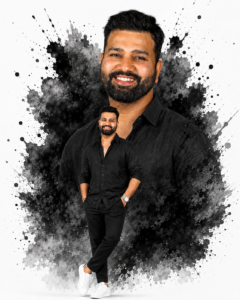
Ultra-realistic 8K cinematic double-exposure portrait of any person, preserving the exact facial identity from the reference image. Create a clean white studio background with bold black watercolor paint splashes and artistic ink splatter effects behind the subject. Place a large close-up head-and-shoulders portrait in the background with a calm confident expression, natural soft lighting, and direct eye contact. In the foreground, show the same person in a full-body pose wearing a royal black unbuttoned linen shirt with rolled-up sleeves, black slim-fit trousers, white sneakers, black sunglasses, a silver wristwatch, and a bracelet, standing casually with both hands in pockets and one leg crossed naturally. Match the same hairstyle, facial features, skin tone, body proportions, and realistic texture. Soft cinematic daylight, high contrast, ultra-detailed skin, DSLR quality, 85mm lens, shallow depth of field, premium editorial fashion photography, photorealistic, HDR, vibrant black color grading, crisp focus, elegant minimal composition, no text, no watermark, no logo, 4:5 vertical composition
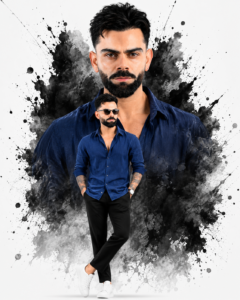
Ultra-realistic 8K cinematic double-exposure portrait of any person, preserving the exact facial identity from the reference image. Create a clean white studio background with bold black watercolor paint splashes and artistic ink splatter effects behind the subject. Place a large close-up head-and-shoulders portrait in the background with a calm confident expression, natural soft lighting, and direct eye contact. In the foreground, show the same person in a full-body pose wearing a royal blue unbuttoned linen shirt with rolled-up sleeves, black slim-fit trousers, white sneakers, black sunglasses, a silver wristwatch, and a bracelet, standing casually with both hands in pockets and one leg crossed naturally. Match the same hairstyle, facial features, skin tone, body proportions, and realistic texture. Soft cinematic daylight, high contrast, ultra-detailed skin, DSLR quality, 85mm lens, shallow depth of field, premium editorial fashion photography, photorealistic, HDR, vibrant blue color grading, crisp focus, elegant minimal composition, no text, no watermark, no logo, 4:5 vertical composition
How To Create Viral colour full Ai Photo
Creating this viral AI photo is very easy. First, choose two clear photos of yourself. One should be a close-up face photo, and the other should be a full-body photo. Upload both photos to an AI photo editing tool. Then, use the ink splatter or paint splash effect to combine them into one stylish picture. You can also remove the background and improve the colors with AI. Make sure the photos are bright and clear for the best results. After the edit is complete, save your photo and share it on Instagram, Facebook, or YouTube to impress your friends and followers.
- Click the Create button below and install the ChatGPT app if you don’t have it already.
- Open ChatGPT, tap the + icon, and upload your photo.
- Copy the prompt from the website, paste it into ChatGPT, and tap Send.
- Wait a few seconds while ChatGPT creates your image.
- When the image is ready, open it and save it to your device.
Conclusion
Finally, this AI photo is very easy to make and looks really cool. You only need two clear photos and an AI editing tool. In a few minutes, your photo will look bright, stylish, and beautiful. The ink splatter effect makes it more fun and unique. After your photo is ready, you can share it on Instagram, Facebook, or YouTube to show your friends and family.