INTRODUCTION
If you use Instagram, YouTube Shorts, or Facebook, you must have noticed that a new AI trend goes viral almost every week. Right now, one of the biggest trends on social media is Motu Patlu City Explore AI videos. In these videos, Motu and Patlu visit different cities, famous places, or even villages and give funny reviews in their own unique style. Because these videos are entertaining and look realistic, millions of people enjoy watching them.The best part is that you don’t need any animation skills or expensive software to create these videos. With the help of a few free AI tools, anyone can make a similar video within just a few minutes. Many creators are already using this trend to grow their Instagram and YouTube pages, and some of these videos are getting thousands or even millions of views.If you have been thinking about starting an AI content page or want to create viral short videos, this trend is a great opportunity. You can make Motu Patlu explore your own city, village, market, tourist place, or any location you like. You can also customize the dialogue and style according to your own ideas, making every video unique.In this step-by-step tutorial, I will explain the complete process in the easiest way possible. From generating the AI images of Motu Patlu to converting those images into smooth AI videos and adding realistic voice, everything will be covered in detail. Even if you have never used AI tools before, you will still be able to follow every step without any confusion.So, if you want to create your own Motu Patlu City Explore AI video and upload it on social media to reach more people, make sure to read this article from beginning to end. By the time you finish reading, you’ll know exactly how to create this trending video in just a few minutes.
Why Are Motu Patlu City Explore Videos So Popular?
Nowadays, Motu Patlu City Explore AI videos are getting millions of views on Instagram, YouTube Shorts, and other social media platforms. One of the biggest reasons is that Motu Patlu is already one of the most loved cartoon characters. When people see these funny characters visiting different cities and giving entertaining reviews, they instantly stop to watch the video.Kids enjoy these videos because they love cartoons, while teenagers and adults find them funny and interesting. People also get excited when their own city or a famous place is featured in the video, making them more likely to watch it till the end and share it with their friends.Another reason behind this trend is that many creators are making these AI videos to grow their social media accounts. Since these videos are easy to create and have a high chance of going viral, more and more creators are joining the trend every day.These videos are usually short, colorful, and full of fun, which keeps viewers engaged from start to finish. Because people enjoy watching and sharing them, the trend continues to grow rapidly. If you start creating these videos now, you also have a great chance to reach more people and grow your audience on social media.
How to Easily Create a Viral Motu Patlu AI Video
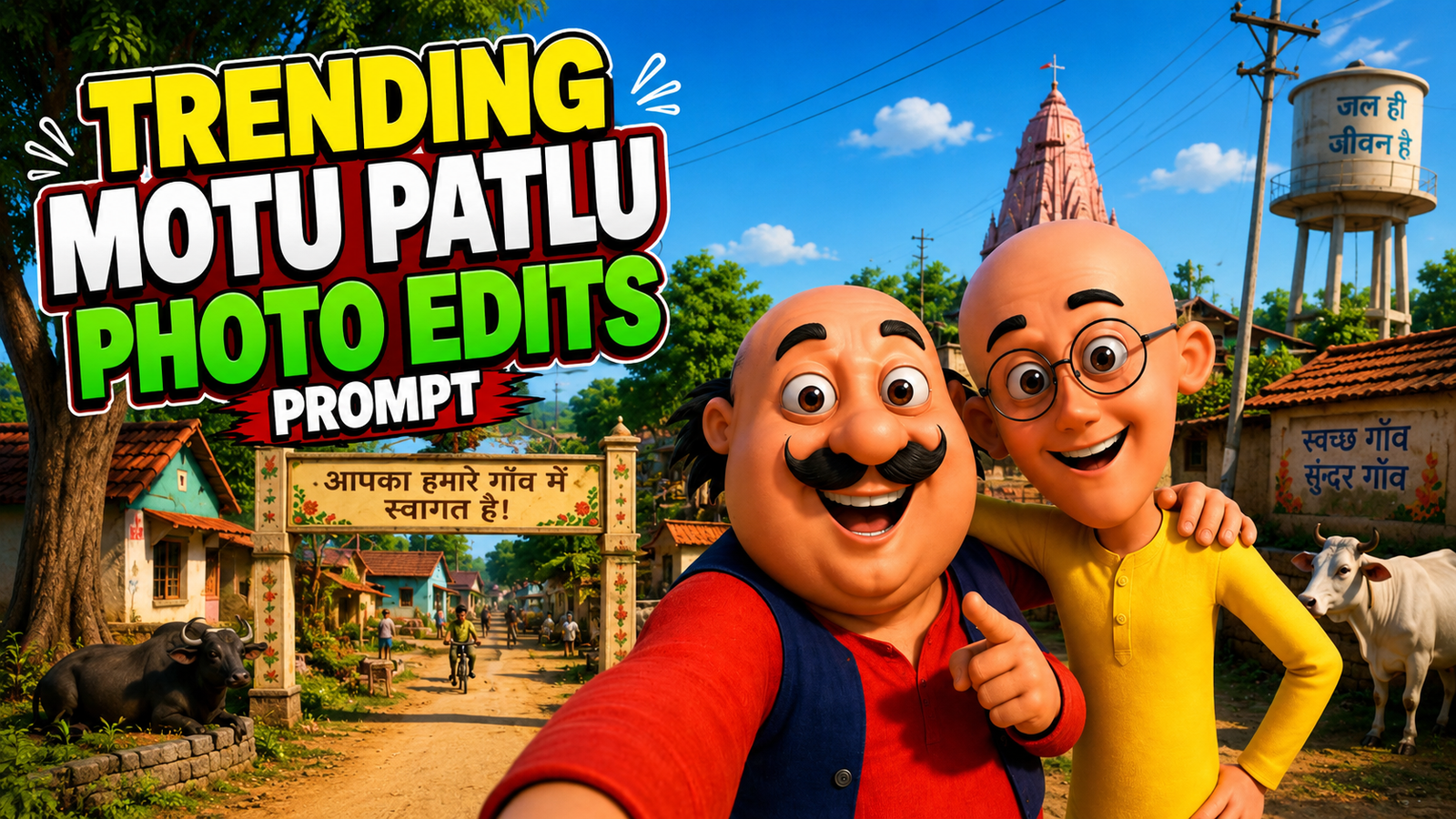
Create tha motu patlu photo
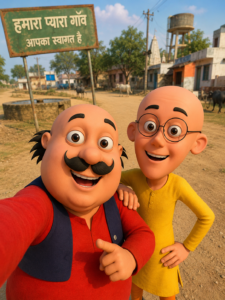
IMAGE PROMPT:
Es photo me apne gao ka naam likhiye aur jo aap ko change krna hai kr skte hai.
Create a vibrant 3D cartoon-style selfie of Motu and Patlu standing together in a beautiful Indian village. Motu is wearing a bright red kurta with a dark blue vest, smiling happily and pointing toward the camera while taking a wide-angle selfie. Patlu is standing beside him in a yellow kurta with round glasses, smiling with one hand on Motu’s shoulder and the other on his waist. In the background, show a dusty village road, traditional Indian houses, green trees, cows, a village temple, an old water tank, electric poles, and a large green welcome sign in Hindi reading “हमारा प्यारा गाँव, आपका स्वागत है”. Warm golden sunlight, soft shadows, ultra-detailed textures, colorful environment, cheerful atmosphere, cinematic composition, shallow depth of field, Pixar-quality 3D animation, highly detailed faces, vibrant colors, realistic lighting, 8K, ultra HD, vertical 9:16 composition.
MAKE A VIDEO:
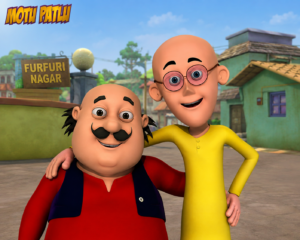
. To create your own image, start by saving the photo shown below. Then copy the prompt written under the image.
. After that, click the Create Your Image button. Open ChatGPT, tap the + icon, and upload the saved photo.
. Now paste the prompt, replace the old city name with your own city’s name, and send it.
.AI image will be generated in a few moments. When it’s ready, download it and enjoy sharing it.