Introduction
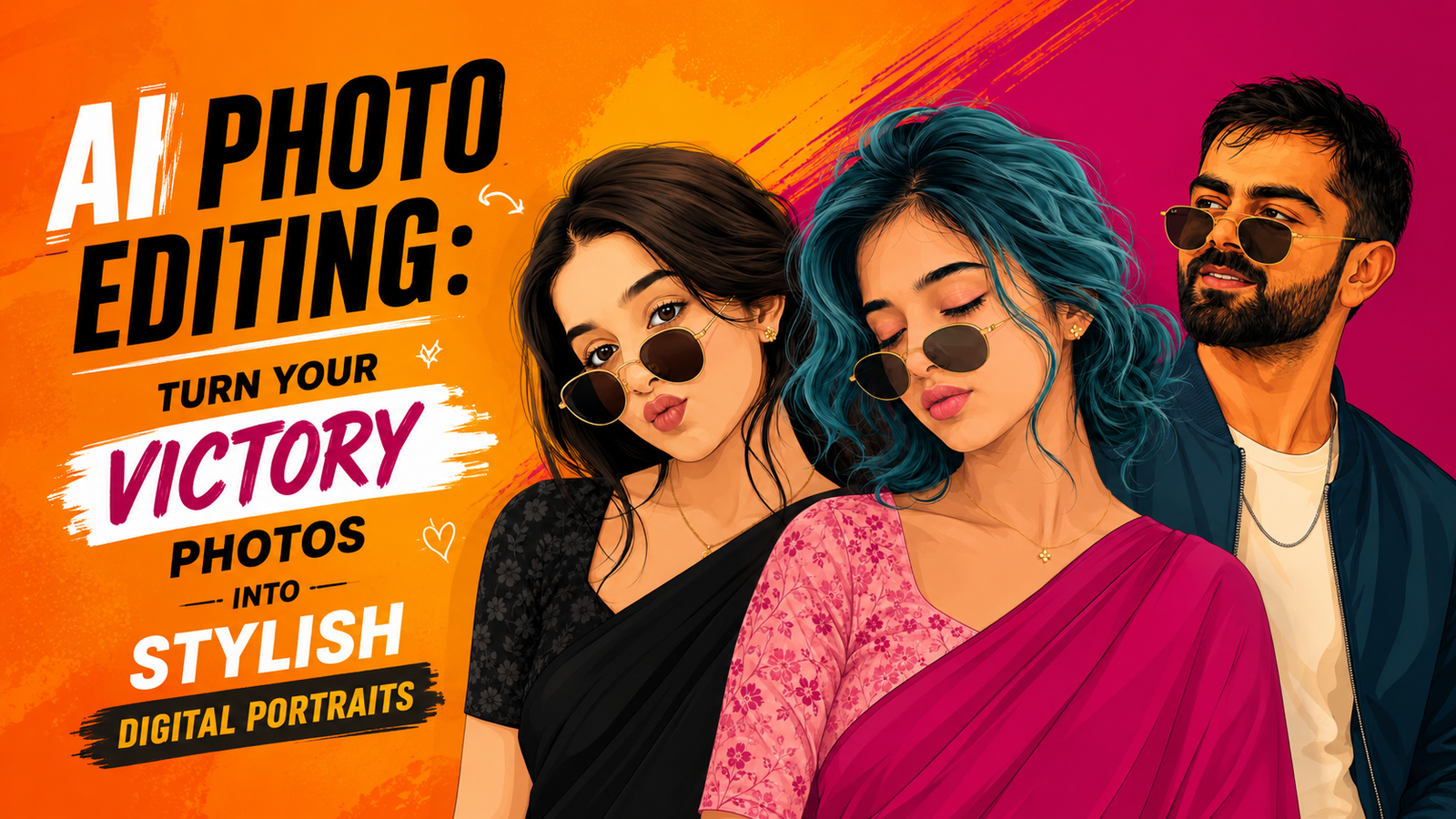
AI photo editing is a fun and creative way to turn normal pictures into amazing digital artwork. The images shown above are examples of how Artificial Intelligence, or AI, can change a simple photo into a colorful and stylish illustration. AI can add new colors, clothes, backgrounds, hairstyles, sunglasses, and many other creative details.
In these pictures, people are shown in a beautiful cartoon-like digital art style. The faces, hair, clothes, and small details are carefully designed to make the pictures look attractive and modern. Different background colors also make each portrait look special.
This type of AI editing is becoming popular because it is easy, quick, and fun to use. You do not need to be a professional artist to create such pictures. With a good photo and the right AI prompt, anyone can try making their own creative portrait.
In this guide, we will learn what AI photo editing is, how these images are created, and how simple prompts can help us make similar artwork. It is a great way for beginners and kids to explore technology, creativity, and digital art together.
What Is AI Digital Portrait Editing?
AI Digital Portrait Editing means using Artificial Intelligence (AI) to turn a normal photo into a creative and beautiful digital portrait.
With AI, you can change the style of your photo and add different hairstyles, clothes, sunglasses, colors, backgrounds, and artistic effects. For example, a simple photo can be changed into a cartoon, vector art, poster-style image, or colorful digital illustration.
The best thing about AI portrait editing is that it is easy to use. You do not need to be a professional photo editor. You can simply upload your photo, write my prompt, and let the AI create the image for you.
People use AI digital portraits for social media posts, profile pictures, thumbnails, websites, and other creative projects. It saves time and makes photo editing more fun and creative. With the right prompt, anyone can turn an ordinary photo into an attractive digital portrait.
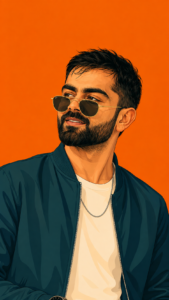
Create this as a 9:16 vertical portrait image.Using the attached reference photo, recreate the person’s face with high precision – exact facial structure, eyes, nose, lips, jawline, beard/facial hair (if any), and skin tone matching the reference photo closely, side profile or three-quarter angle as shown. Style: bold flat vector illustration, clean smooth linework, minimal shading, poster-art aesthetic – no painterly texture, crisp digital vector finish. Pose: head turned slightly to the side in a relaxed three-quarter profile, one shoulder forward, warm charming smile – natural, confident, slightly playful, eyes gently engaged. Hair styled neatly matching the reference (textured, swept back, or tousled as shown). Outfit: sharp casual-formal look – a solid-color bomber jacket or structured shirt in a single bold monochrome tone (deep teal, burnt orange, or charcoal-pick one saturated color), plain fitted t-shirt or collared shirt underneath in a lighter contrasting shade, minimal accessories (thin chain necklace or wristwatch), round or square vintage-style sunglasses pushed slightly down the nose. Background: solid bold monochrome color matching the outfit’s color family, completely flat with no texture or gradient, high contrast, poster-style minimalism. Composition: subject positioned in the lower two-thirds of the frame with headroom above, generous negative space around the head, fully filling the 9:16 vertical frame, clean poster-quality layout. Style: flat vector illustration, bold saturated color palette, minimal linework, high-fashion editorial poster quality, confident, charming, and stylish mood.
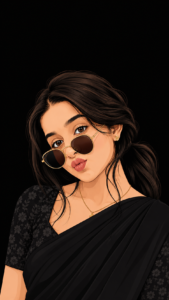
Create a high-quality 9:16 vertical portrait of a young South Asian woman in a sophisticated flat vector illustration / digital poster-art style. Preserve the facial appearance from the reference image as closely as possible, including the face shape, large expressive brown eyes, eyebrows, nose, lips, jawline, skin tone, and overall facial proportions. Do not unnecessarily alter or beautify the face.

She is shown in a relaxed three-quarter profile, facing slightly toward the camera with a gentle, confident smile. Her long, naturally wavy black hair is styled into a low ponytail, with a few soft strands falling naturally around her face and neck.

She wears an elegant black saree with subtle folds and clean vector-defined draping. The blouse is black with a delicate tone-on-tone floral pattern, giving the outfit a refined traditional Indian look. Add a small gold flower-shaped stud earring and a thin, delicate gold chain necklace.

She wears round vintage-style sunglasses with thin gold frames and dark brown lenses, positioned slightly down the bridge of her nose so her expressive eyes remain partially visible.

Style: bold flat vector illustration, crisp smooth linework, clean shapes, minimal controlled shading, high-fashion editorial poster aesthetic, polished digital artwork, elegant proportions, sophisticated traditional Indian fashion, sharp details, premium AI illustration quality.

Background: completely flat deep black, with absolutely no texture, objects, scenery, patterns, or gradient. Strong contrast between the subject and background.

Composition: vertical 9:16 poster layout, subject occupying the lower two-thirds of the frame, generous clean negative space above and around the head, centered elegant composition, shoulders naturally angled, high-fashion editorial mood.
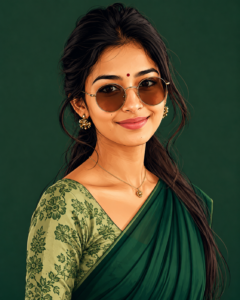
Create a high-quality digital portrait of a beautiful young South Asian woman in a stylish flat vector illustration and digital poster-art style. Keep the face natural and realistic, with balanced facial proportions, expressive dark brown eyes, neatly shaped eyebrows, a small nose, soft pink lips, and a gentle smiling expression. She has long, straight black hair tied loosely behind her, with a few natural strands framing her face.She is wearing elegant round brown-tinted sunglasses with thin golden frames, small golden floral earrings, a delicate gold necklace, and a beautiful deep green saree. The saree should have smooth flowing folds, while the blouse is light green with a detailed dark-green floral print.Add a small red bindi on her forehead. Show her in a relaxed three-quarter pose, slightly turned toward the camera. Use a clean dark green background with no distracting objects. Keep the illustration crisp, polished, colorful, and detailed, with smooth linework, subtle shading, soft highlights, and a premium digital-art finish. Maintain natural skin tone and realistic facial proportions. Vertical 4:5 composition, high resolution, sharp details, professional Instagram-style portrait.
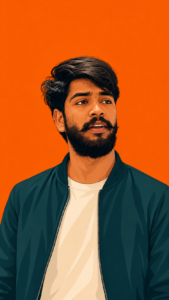
Create this as a 9:16 vertical portrait image. Using the attached reference photo, recreate the person’s face with high precision – exact facial structure, eyes, nose, lips, jawline, beard/facial hair (if any), and skin tone matching the reference photo closely, side-profile or three-quarter angle as shown. Style: bold flat vector illustration, clean smooth linework, minimal shading, poster-art aesthetic – no painterly texture, crisp digital vector finish. Pose: head turned slightly to the side in a relaxed three-quarter profile, one shoulder forward, warm charming smile – natural, confident, slightly playful, eyes gently engaged. Hair styled neatly matching the reference (textured, swept back, or tousled as shown). Outfit: sharp casual-formal look – a solid-color bomber jacket or structured shirt in a single bold monochrome tone (deep teal, burnt orange, or charcoal – pick one saturated color), plain fitted t-shirt or collared shirt underneath in a lighter contrasting shade, minimal accessories (thin chain necklace or wristwatch), round or square vintage-style sunglasses pushed slightly down the nose. Background: solid bold monochrome color matching the outfit’s color family, completely flat with no texture or gradient, high contrast, poster-style minimalism. Composition: subject positioned in the lower two-thirds of the frame with headroom above, generous negative space around the head, fully filling the 9:16 vertical frame, clean poster-quality layout. Style: flat vector illustration, bold saturated color palette, minimal linework, high-fashion editorial poster quality, confident, charming, and stylish mood.
Create image
How to Create the Image Step by Step?
Creating this AI image is very easy. You just need to follow a few simple steps carefully.
- First, open the AI image creation tool and click on the Create Image button.
- Log in using your Google account if you are asked to sign in.
- After logging in, look for the plus (+) icon and click on it.
- Select your selfie or the photo you want to edit from your phone.
- Now, copy the AI editing prompt given above.
- Paste the copied prompt into the text box below your uploaded photo.
- Check everything once and click the Send button.
- Wait for a few seconds while the AI creates your image.
- When your image is ready, open it and click the Download option to save it to your phone.
Why Is This AI Photo Editing Style Popular?
This AI photo editing style is popular because it makes normal photos look creative, stylish, and eye-catching. AI can turn a simple photograph into a beautiful digital illustration with detailed faces, colorful clothes, stylish sunglasses, and attractive backgrounds. People can create these edits without needing advanced drawing or editing skills. This style is also perfect for social media because unique and colorful portraits can quickly grab attention. Another reason is that users can easily try different colors, outfits, poses, and artistic styles on the same photo. It gives people a fun way to express their personality and creativity. AI editing also saves time compared with traditional artwork. Because the results look professional, modern, and shareable, this digital portrait style has become a popular trend among young creators and social media users.
How to fix Face Change Problem ?
Sometimes AI editing changes our face too much. The eyes, nose, lips, or face shape may look different from the original photo. To fix this problem, first use a clear and good-quality photo. Make sure your face is easy to see and there are no dark shadows. For better results, use the prompt I have provided below. In the prompt, tell the AI to keep your original face and facial features the same. Do not add too many changes to the face. If the first result is not good, try again with the same photo and use my given prompt again. A clear photo and the right prompt can help AI keep your face closer to the original photo. This way, your edited picture can look natural and beautiful while keeping your real facial features.
Conclusion :-
AI photo editing is a fun and easy way to make normal photos look special. With AI, we can change a simple photo into a beautiful digital drawing. We can add new clothes, hairstyles, sunglasses, colors, and backgrounds. We do not need to be a professional artist to create these pictures. We only need a photo and a simple prompt. AI does the editing for us in a short time. These edited photos can be used for social media, profile pictures, videos, or just for fun. The pictures above show how one simple photo can be changed into many different styles. AI makes photo editing simple, creative, and exciting for everyone. It is a great way to try new ideas and create something beautiful.