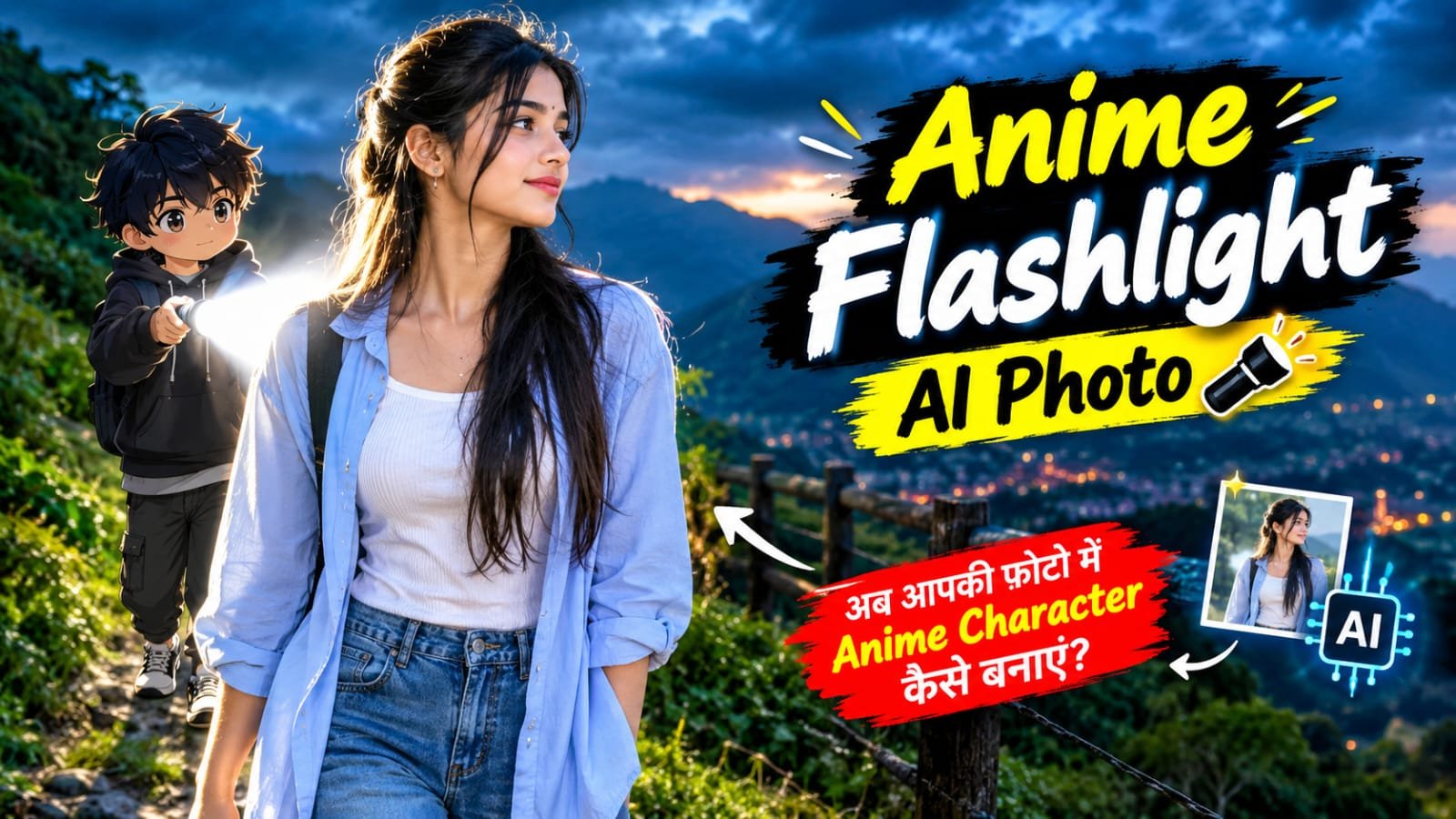
Hello friends, the “flashlight AI photo” is currently trending heavily on social media and is being loved by everyone. In this image, a small animated cartoon character appears behind your real photo, holding a flashlight and shining a beam of light on you; this gives the photo a stunning, cinematic, and attractive look. The image features a real person with the character positioned behind them, casting a bright beam of light onto the individual standing in front. This unique composition makes the AI-generated image stand out and look very interesting, which is why it has become so popular. Today, I will show you how to create this photo easily ,just read the article I have provided carefully.
What is Anime Flashlight AI Photo ?
The “Enemy Flashlight” photo is an AI image editing trend that transforms your original photo into a striking, cinematic image. While the real person retains a natural and realistic appearance, a flashlight-wielding figure is added in the background, giving the photo a stylish look. This figure is positioned so that the beam of light appears to be directed at the subject. The interplay of lighting, shadows, and glow creates a visually impressive scene.
How to create Anime Flashlight AI Photo ?
First, choose a clear and high-quality photo in which your face and outfit are clearly visible. Upload this photo to an AI image generation or editing tool that supports creating a new scene using a reference image. Now, use my given Anime Flashlight AI Prompt and follow the instructions mentioned in the prompt. It will create a small full-body anime character behind you, holding a flashlight and shining light toward you. The prompt also ensures that your face, hairstyle, skin tone, outfit, and natural appearance remain the same as in the original photo. For a cinematic look, the prompt includes details such as a bright white flashlight beam, realistic shadows, soft glow, and dramatic lighting. Keep the background natural according to the environment of your original photo. Finally, generate the image. If the anime character’s position, size, or flashlight beam is not correct in the first result, make small changes to the prompt and generate the image again. In this way, you can easily use my given prompt to turn your normal photo into a stylish and trending Anime Flashlight AI photo.


Create image
How to create Anime Flashlight image step by step ?
●First, download the AI tool on your phone and then log in to the app.
●Copy the prompt given below.
●Next, choose a clear and good-quality photo of yourself and click on the Plus (+) icon.
●After uploading the photo, paste the copied prompt into the same empty space and click on the Generate button.
●After that, select your photo, and your AI photo will be ready within a few minutes.
●Sure, here is the English translation in simple and easy language:
Anime Flashlight AI Photo – FAQs
Q1. What is an Anime Flashlight AI Photo?
An Anime Flashlight AI Photo is a trending AI photo editing effect in which a small anime character appears behind your real photo, holding a flashlight and shining light toward you.
Q2. What is needed to create an Anime Flashlight AI Photo?
You need a clear and high-quality photo, an AI image generation/editing tool, and the Anime Flashlight AI Prompt.
Q3. Are editing skills required to create this photo?
No, you do not need any special editing skills. You can easily create the photo by following the given prompt and simple steps.
Q4. Will my face and outfit change in the AI photo?
If you use the correct prompt, you can instruct the AI to keep your face, hairstyle, skin tone, outfit, and natural appearance the same as in the original photo.
Q5. Can I use any photo for this effect?
Yes, but for better results, use a clear photo in which your face and outfit are clearly visible.
Q6. What should I do if the image is not generated correctly the first time?
If the anime character’s position, size, or flashlight beam is not correct, make small changes to the prompt and generate the image again.
Q7. Can I share the Anime Flashlight AI Photo on social media?
Yes, you can share your created image on Instagram, Facebook, YouTube Shorts, and other social media platforms.If you want, I can also make these FAQs more SEO-friendly and suitable for a website article.
Conclusion
So friends, as you can see, creating the trending Anime Flashlight AI photo is very easy and does not require any special editing skills. You simply need a clear photo, an AI image generation tool, and the given Anime Flashlight AI Prompt. By following the steps mentioned above, you can easily turn your normal photo into a stylish, cinematic, and attractive AI image with a small anime character and a realistic flashlight effect. You can also try different backgrounds, poses, and lighting effects to create your own unique look. Once your photo is ready, you can share it with your friends or post it on Instagram, Facebook, YouTube Shorts, and other social media platforms. So, try this trending AI photo editing effect today and create your own amazing Anime Flashlight AI photo.