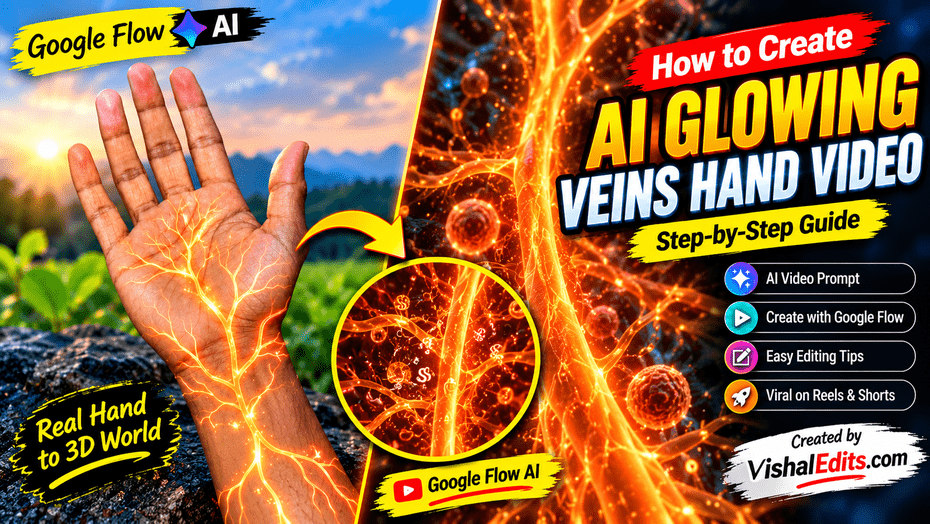
How to Create AI Glowing Veins Hand Video:- Hello friends, nowadays this video is going very viral. It looks very beautiful and romantic, and it is going very viral on social media platforms.
One of these is an attractive video effect in which glowing veins are visible inside the palm and wrist. Gradually, these veins begin to glow with orange light, and then the video transforms into a stunning 3D micro-world.
You can create this viral video for any of your friends, your girlfriend, or a girl for her boyfriend. Videos like these can be excellent for Instagram Reels, YouTube Shorts, and Facebook Reels.
To create these videos, I am providing everything below. Follow the steps properly and read the article carefully, and your video will be created.
What Is an AI Glowing Veins Hand Video?
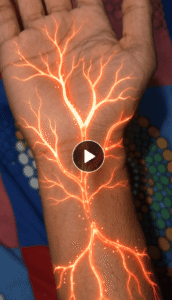
An AI Glowing Veins Hand Video is a creative video effect in which a person’s hand is shown realistically, with glowing, branch-like veins appearing inside it. In the video, the light gradually spreads from the wrist toward the palm and fingers.
After this, the camera appears to move inside these glowing structures. There, orange light, tiny glowing particles, and 3D-like structures are visible, giving the video a science-fiction and microscopic-world appearance.
Features of This AI Video Effect.
Several amazing visual effects can be used in videos like these.
Realistic Hand: The hand and palm are shown to look like real camera footage.
Glowing Veins Effect: Glowing orange veins appear on the wrist and palm.
Light Animation: Light appears to move gradually forward inside the veins.
3D Zoom Transition: The camera appears to enter inside the glowing veins.
Vertical Video Format: By creating a video in a 9:16 ratio, it can be used for Reels and Shorts.
AI Glowing Veins Hand Video Prompt.
If you also want to create a video like this, you can use the prompt given below in Google Flow AI and the Gemini AI video generator, which provides text-to-video or image-to-video functionality.
How to Use the First Letter of Your Name in a Video Prompt.
1. Copy the Prompt: First, copy the AI Glowing Veins Video prompt provided above.
2. Change the Letter: Replace [ENTER YOUR LETTER HERE] in the prompt with the first letter of your name. For example, if your name is Vishal, enter V.
3. Create Your Video: Now, paste your updated prompt into an AI video tool and create your amazing Glowing Veins video.
How to Create an AI Veins Letter Video Google Flow Ai
follow these easy steps to create your own AI Veins Letter Video. You only need a clear photo of your hand and the prompt given in this post.
Step 1: First, take a clear photo of your hand and wrist using your mobile phone.
Step 2: Now, copy the AI Veins Letter Video prompt given below in this article.
Step 3: Scroll down and click on the Create Your Video button to open Google Flow.
Step 4: After opening Google Flow, click on New Project and choose a video model.
Step 5: Upload your hand photo and paste the copied prompt into the prompt box.
Step 6:If you see the video duration option, select 10 seconds. Then click on Generate to create your video.
Step 7:Wait a little while for your video to be ready. Once it is complete, watch it and download it to your phone.
Tips to Make Your AI Video More Attractive.
If you want your video to look amazing, keep a few things in mind.
Make the Beginning Attractive:- Show the palm in the very first second, and then start the glowing veins effect.
Keep the Transition Smooth:- The scene transitioning from the hand to the 3D micro-world should change gradually instead of cutting suddenly.
Choose the Right Sound Effect:- A light electronic sound, cinematic sound, or glowing effect sound can work well with the video.
Pay Attention to Video Quality:- The details of the hand’s texture, fingers, and lighting should be clear.
Create It According to the Mobile Screen: Keep the main subject in the center of the vertical video so that it appears properly on Reels and Shorts.
FAQ.
Can I create a glowing veins hand video using AI?
Yes, a video with this type of visual effect can be created with the help of an AI video generator. The result depends on your tool, prompt, and the image used.
Which AI tool can I use to create this video?
You can use Google Flow or any other AI video tool that provides text-to-video or image-to-video functionality.
Conclusion.
AI Glowing Veins Hand Video is an attractive visual effect in which a real hand image is shown transforming into glowing orange veins and an imaginary 3D world. With the help of the right prompt, a good starting image, smooth transitions, and proper editing, you can also try to create a creative video like this.
So friends, this hand video can be created very easily. Read my post carefully; I have explained everything step by step above. You can simply use it to create your own video. If you face any problems, you can go to my Help section and send me a message on my Gmail. So friends, hurry up, create your video, and go viral.